Shared Walls, Separate Duties: A Connectivity Audit for UK Serviced Offices

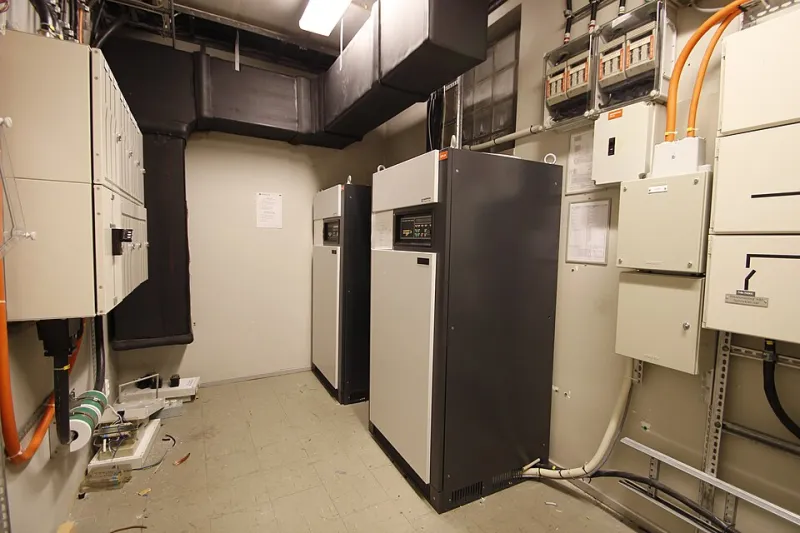
Photo: Roger Cornfoot, CC BY-SA 2.0, via Wikimedia Commons
Connectivity in a serviced office rarely begins with a signed contract between the occupier and an internet provider. More often, it begins with a patch port in a riser cupboard and an assumption that the building has the matter in hand. That assumption is workable until a fault occurs, a lease changes, or the landlord appoints a new supplier. An audit turns the assumption into a documented arrangement with clear boundaries.
The objective is not to challenge the landlord's model. It is to understand it well enough that the organisation can operate, escalate and plan with confidence. For UK tenants in managed or serviced offices, that means treating connectivity as part of the tenancy file rather than as an invisible utility.
Begin at the physical boundary
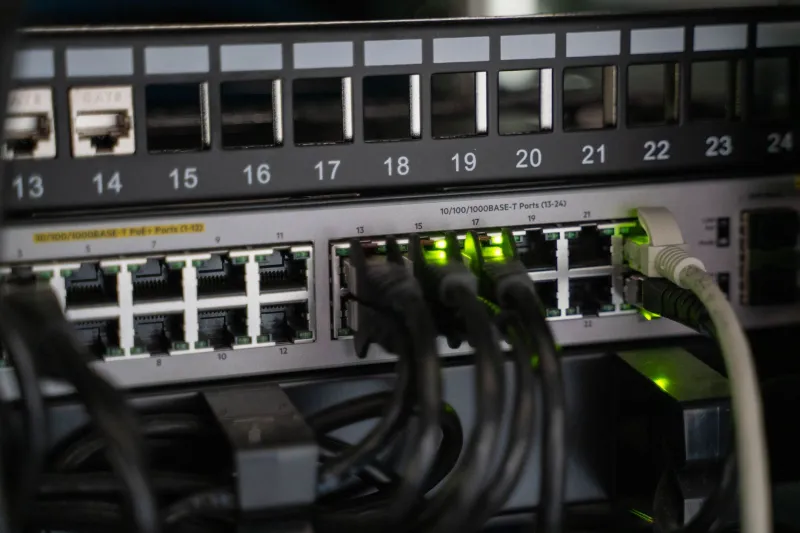
Every connectivity arrangement has a demarcation point: the place where the building's responsibility stops and the occupier's begins. In a conventional leased office, this is often the main distribution frame or the point at which the provider's bearer enters the premises. In a serviced office, it may be a shared riser, a landlord-operated switch, a suite-level patch panel, or simply the wall port provided with the desk package.
The first audit task is to locate that boundary and describe it in plain terms. Ask the building manager for a simple topology diagram showing the incoming bearer, the building distribution equipment, the suite entry point, and any landlord-supplied router or firewall. If no diagram exists, create one. Record the make and model of visible equipment, the port labels, and the location of any cabinet or comms room. Photographs are useful, provided they are stored with the tenancy records rather than on an individual's phone.
A common source of confusion is the difference between a working port and a managed service. A port may be active, but that does not establish who is responsible for the router, the firewall policy, the public IP address, or the wireless network. The audit should separate the physical connection from the service layered on top of it.
Establish ownership, not just availability
Availability answers the question 'can we work today?' Ownership answers the more important question 'who acts when we cannot?' For each component in the connectivity chain, the audit should record who supplies it, who administers it, who pays for it, and who is authorised to change it.
A landlord-supplied router may sit at the edge of the building network, but the tenant may still be responsible for its own firewall, switching and Wi-Fi. Alternatively, the landlord may provide a fully managed package that includes all of these. Neither model is inherently better, but the two require very different operating arrangements. The tenant needs to know whether it holds administrator access, whether firmware updates are applied by the building, and whether configuration changes are permitted.
Particular attention should be given to IP addressing, DNS settings and any shared network services. If the building provides DHCP and DNS, an outage or misconfiguration can affect every occupier at once. If the tenant operates its own router behind the landlord's connection, double network address translation may be in place, which can complicate remote access and some cloud services. These details belong in the audit record, not in the memory of whoever set the system up.
Test the service that is actually delivered
Marketing descriptions of serviced office connectivity are rarely written for network engineers. A package described as 'high-speed fibre' may be shared across the building, contend with other occupiers at peak times, or offer limited upload capacity. The audit should move from description to measurement.
Carry out wired speed tests at representative locations, not only over Wi-Fi. Test at the start of the working day, during the busiest period, and outside core hours. Record download and upload throughput, latency, jitter and packet loss. If the tenancy agreement or service schedule states a minimum standard, compare the results with it. If no standard is stated, the measurements still provide a baseline for future comparison.
Resilience deserves the same treatment. Ask whether the building has more than one incoming bearer, whether they follow diverse routes, and whether a failover service is provided automatically or requires manual intervention. Check whether the tenant has its own backup connection, such as a business-grade mobile router, and whether it has been tested recently. A backup link that has never been exercised is a plan rather than a control.
Read the service schedule alongside the lease
The commercial documents often contain the operational detail that matters most. Look for fair-use provisions, blocked ports, static IP allocations, maintenance windows, notice periods for supplier changes, and the process for granting access to engineers. These clauses determine what the tenant can expect when something needs to change.
It is also worth confirming how faults should be reported. Does the tenant log a ticket with the landlord's helpdesk, with the building's managed service provider, or directly with the internet provider? What response times apply, and do they differ outside normal office hours? Who is the escalation contact when the first-line desk cannot resolve the issue? These questions are easier to answer before an incident than during one.
Where the tenant runs its own equipment in a shared space, the audit should note any physical constraints. Access to the comms cupboard may be restricted, power outlets may be shared, and cable routes may not be exclusive. A clear record of what was installed, by whom, and with what permission prevents later disputes about alterations.
Prepare for the boundary crossing
Faults in a serviced office frequently cross the landlord/tenant boundary. A tenant may report slow performance, while the landlord's team sees a healthy building connection. Without shared evidence, the conversation can stall. The audit should therefore establish a simple evidence pack: current topology, asset list, test results, ticket history and named contacts. When a fault occurs, both sides can refer to the same facts.
The same preparation applies to change. Buildings change suppliers, upgrade infrastructure or reconfigure shared services. Tenants should ask for advance notice and confirm what will happen to IP addresses, router settings, firewall rules, DNS records and remote access arrangements. If the building's change introduces a new router or public IP address, the tenant may need to update certificates, VPN profiles and cloud allow-lists. A short change checklist is more useful than a lengthy policy document.
Finally, treat the audit as a living record. Review it annually, at lease events, and whenever the building changes provider or the organisation alters its own network. For UK organisations in serviced offices, the most reliable connectivity is not simply the fastest line available. It is the arrangement that has been mapped, tested and written down, with each party clear about what it owns and what it will do when the shared walls conceal a separate duty.