Second-Line Confidence: A Quarterly Test Routine for Backup Connectivity
Most organisations can describe their backup connectivity. Far fewer can show that it works. The second line — whether a second fixed circuit, a 4G or 5G router, or a hybrid arrangement — tends to sit quietly in the rack until the primary service drops. At that point, assumptions are tested in the worst possible conditions: no maintenance window, no engineer on site, and a business waiting.
The answer is not necessarily a more expensive circuit. It is a repeatable test, run on a schedule, with evidence retained. This article sets out a quarterly routine for UK organisations, and the false comforts it is designed to expose.
What failover has to prove
A failover test is not a ping to the internet. It should confirm four things in sequence: that the secondary path carries traffic when the primary is removed; that the router chooses it automatically and within an acceptable time; that the services people depend on still resolve and connect; and that the arrangement survives the conditions of a real outage, including power.
Each of those can fail independently. A circuit can be live and still unusable because the SIM has hit its data cap. A router can fail over correctly and still hand out a DNS server that is unreachable. A 4G service can work perfectly until the office loses mains power and the small router has no battery behind it.
False comfort one: the SIM data cap
Many 4G and 5G backup services are sold with a monthly allowance that is generous for standby and modest for use. A router that has been quietly passing a few megabytes a day can exhaust a cap within hours once it becomes the primary path, particularly if cloud backups, video calls and software updates resume at the same time.
Before testing, record the allowance, the current usage, and the behaviour when the cap is reached — throttled, blocked, or charged. Then decide what the backup line is for. A line intended only for card payments and email needs a different policy from one expected to carry the whole office. If the cap is small, consider whether the router should apply a failover profile that limits non-essential traffic, and document that decision.
False comfort two: CGNAT and the return path
Consumer and many business mobile services place the connection behind carrier-grade NAT. Outbound browsing works; inbound connections do not. That matters for VPN termination, remote support, hosted telephony that expects a fixed source address, and any service that relies on IP allow-listing.
Test from outside as well as inside. If staff connect to the office through a VPN concentrator, confirm that the tunnel re-establishes over the backup line, and that the public address presented is one the far end will accept. Where a static IP is required, check whether the backup service provides one and whether it is configured. A failover that restores internet access but not the services staff actually use is only half a failover.
False comfort three: the priority settings
Routers vary in how they express failover: priority order, interface tracking, policy routing, or a combination. It is common to find a secondary interface configured but not enabled, a tracking target that is unreachable from the backup path, or a rule that sends only certain subnets over the second line.
Read the configuration rather than trusting the label. Confirm which interface is preferred, what condition triggers the switch, how long the switch takes, and whether traffic returns to the primary when it recovers. Some routers fail back aggressively and cause a second disruption; others never return. Neither is wrong, but the behaviour should be known and written down.
The DNS question
DNS is the most common cause of a failover that looks successful and behaves badly. If the router forwards to an internal resolver, or the estate uses a DNS service reachable only over the primary circuit, name resolution may fail even though the link is up. If public resolvers are used, conditional forwarding and split-horizon rules still need to work over the new path.
Test resolution explicitly during the drill: internal names, public names, and any SaaS endpoints that staff use. Check whether DNS settings are handed out by DHCP from the router or configured statically on endpoints, and confirm both paths behave the same way.
Power is part of the path
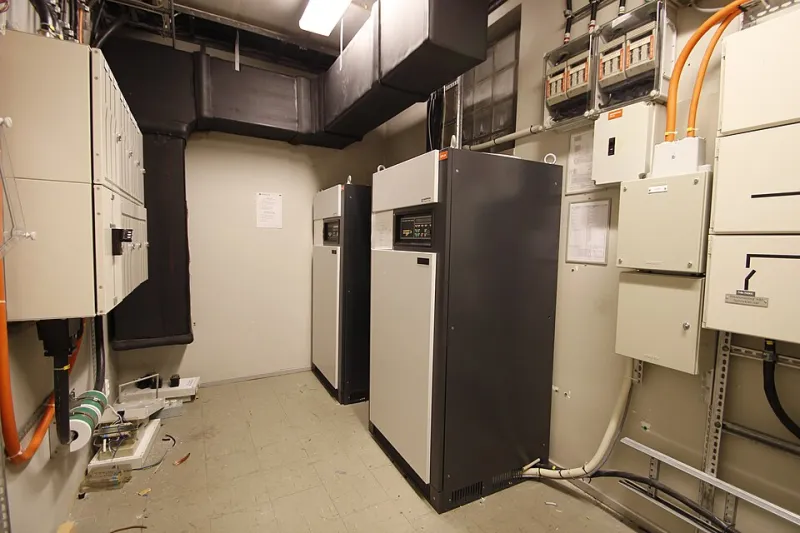
A backup router in a comms cabinet is only as resilient as the power feeding it. If the cabinet is not on the UPS, or the UPS runtime has not been checked, the second line may last only as long as the primary. Smaller 4G routers often have no battery; some have a DC input that can be fed from a small UPS.
Include power in the test where it is safe to do so: confirm which outlets are protected, how long the UPS holds the router and any PoE equipment, and whether the router restarts cleanly. Do not pull mains power as an experiment without a plan; a controlled check of the UPS load and runtime is enough.
A quarterly routine
Run the same sequence each quarter, at a quiet time, with a named person and a short record. A workable routine:
- Record the baseline: primary circuit status, backup interface status, SIM usage, and router firmware version.
- Notify the relevant people, even for a short test, so that alerts are not treated as a real outage.
- Disable the primary interface or disconnect it at the router, not at the carrier.
- Time the switch and record what happened to existing sessions.
- Test the services that matter: VPN, email, telephony, card payments, line-of-business applications and internal name resolution.
- Test from outside where remote access is used.
- Restore the primary and confirm failback, including whether sessions recover.
- Record the result, the time taken, and any exceptions.
Evidence worth keeping
A short record is more useful than a long narrative. Capture the date and tester, the router and firmware, the trigger used, the measured switch time, the services tested and their result, the SIM usage before and after, and any configuration changes made. Store it with the network documentation so that the next person can see the history rather than starting again.
The purpose is not to produce a certificate. It is to replace confidence with evidence, and to find the small configuration errors while the stakes are low. A backup line that has been tested quarterly is a modest insurance policy; one that has never been tested is a hope. With more services dependent on continuous connectivity, and more organisations running hybrid arrangements, the difference is worth the hour.