The Maintained Box: Giving UPS Units a Place in the UK Office Calendar
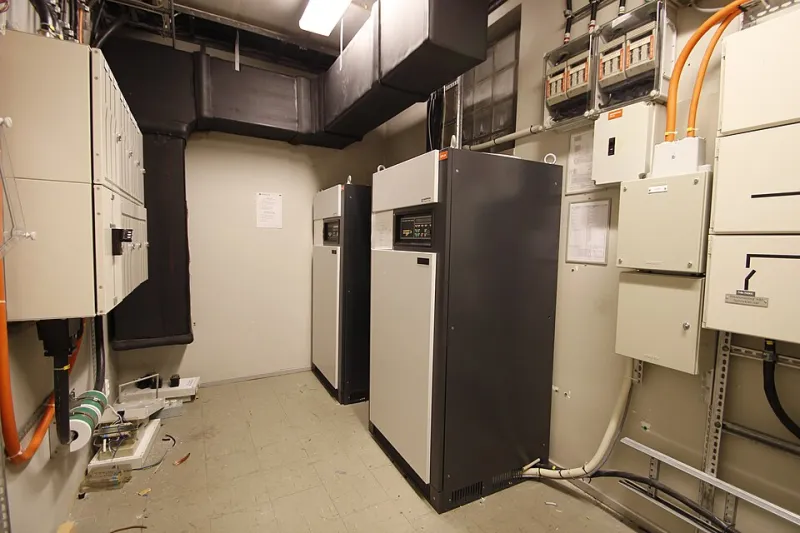
Photo: Work With Sounds, CC BY-SA 4.0, via Wikimedia Commons
Under a desk, beside a comms cabinet or tucked behind a till, the uninterruptible power supply is one of the quietest pieces of office technology. It is bought for the day the power drops, then frequently treated as though it will remain ready without attention. In practice, a UPS is a consumable system with a battery that ages, a load that changes and a runtime that shrinks. A modest calendar of checks turns it from a silent box into genuine resilience.
Begin with a register, not a replacement order
The first step is not to buy batteries. It is to know what is installed. Build a simple UPS register that records the unit's location, make and model, serial number, installation date, battery replacement date, current load and expected runtime. Add the person or team responsible for it. Small desktop units deserve a line as much as cabinet-mounted models, because they often protect the router, switch or access control equipment that matters during a short outage.
Label each unit physically and cross-reference it with any comms cabinet documentation. If a unit has a management card or monitoring software, record how alerts are delivered and who receives them. A UPS that raises an alarm into an unread mailbox is not monitored; it is merely expressive.
Measure load and runtime before trusting either
Runtime figures are only meaningful in relation to load. A unit rated for fifteen minutes at half load may offer far less when additional equipment has been added over time. Use the front panel or management interface to record the actual load percentage, then compare it with the manufacturer's runtime curve. Where a safe test is possible, confirm that the protected equipment survives a short transfer to battery without error.
Avoid full discharge tests as a routine habit in a live office. A controlled test of a few minutes, arranged outside business-critical periods, is usually enough to show that the battery can carry the load. Record the date, load, observed runtime and any equipment that restarted unexpectedly. Repeat the measurement after significant changes, such as a new switch, server or camera recorder being added to the protected circuit.
Put self-tests on a schedule
Most business-grade UPS units support a self-test, either on a front panel, through management software or by a scheduled command. A monthly visual check and alarm review, a quarterly self-test where supported, and an annual deeper review form a sensible baseline for many UK offices. The point is not to create paperwork for its own sake, but to establish a dated trail that shows the unit was examined and that faults were acted upon.
When a self-test fails, treat it as an operational issue rather than a background warning. Battery fault indicators, repeated beeps and unexplained transfers to battery should be investigated promptly. If the UPS protects network equipment, link its alerts to the same process used for other infrastructure incidents, so that a failing battery is not left until the next office move or annual audit.
Recognise the signs of an ageing battery
Sealed lead-acid batteries commonly used in office UPS units have a limited service life, often in the region of three to five years, though heat, discharge cycles and poor ventilation can shorten it. The calendar should therefore include an age review, not simply a failure review. A battery that is approaching its design life may still pass a short test while offering little reserve in a longer outage.
Visible signs matter. A swollen case, leakage, discoloration, a persistently warm unit or a runtime that has fallen sharply are reasons to escalate. Do not open battery packs, stack replacement cells casually or continue using a unit with a distorted casing. Isolate it according to the manufacturer's instructions and use a competent person for replacement. Where a unit is under warranty or a maintenance contract, check the terms before intervening.
Replace and dispose of units properly
Replacement should be planned rather than reactive. Record the battery model, source and installation date. Where a whole unit is replaced, remove it from the register and add the new asset. Do not leave old units in a storeroom indefinitely; they can become an unrecorded fire and environmental risk.
In the UK, waste electrical and electronic equipment and batteries must be disposed of through an appropriate route. Use a licensed waste carrier or an approved take-back scheme, and retain evidence of disposal. Batteries should not go into general waste. For organisations with several sites, a periodic collection arrangement is often cleaner than ad hoc disposal by individual offices.
A workable calendar for UK offices
A simple routine can be held in a shared calendar and reviewed annually. Monthly: visual check, alarm review and confirmation that the unit is powered and not overloaded. Quarterly: self-test where supported, load reading and a note of any changes to protected equipment. Annually: runtime check, battery age review, replacement planning and disposal reconciliation. Every three years: a budget review covering expected battery replacements and end-of-life units.
Assign an owner. Review the register after office moves, equipment refreshes and changes in working patterns. Resilience is not proved by the presence of a UPS alone; it is proved by a dated record showing that the unit has been checked, that its limits are understood and that its battery will be replaced before it becomes a surprise.