The Rack's Memory: A Practical Documentation Pass for the UK Comms Cabinet
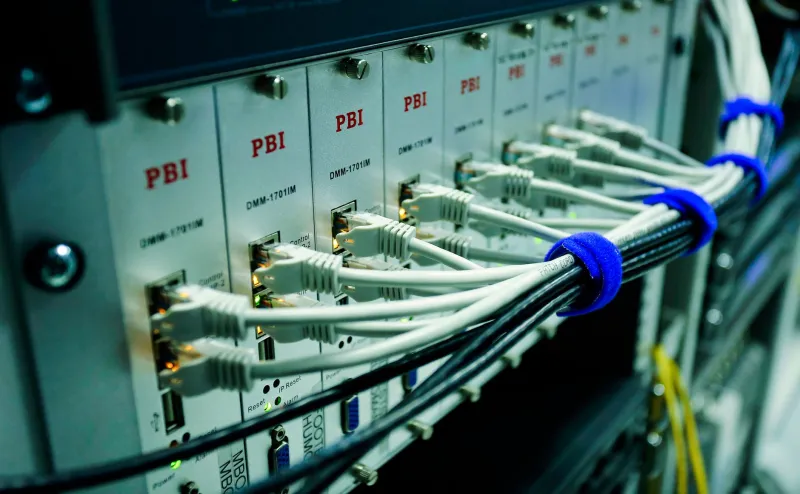
A fault in the comms room rarely waits for the person who knows the cabinet best. It arrives on a Friday afternoon, or during annual leave, or just before a supplier visit, and the organisation discovers that its physical network is held together by memory. The patch leads are correct, the switches are working and the labels are mostly readable, but nobody can say with confidence which port feeds which desk, which power lead belongs to which supply, or why a particular cable was added last summer.
That is not a failure of technical skill. It is a gap in operational memory. A cabinet record is not a diagram for its own sake. It is the difference between a fifteen-minute fault and a half-day of guessing, and between a controlled change and an unrecorded one. The method below is intended to be completed in a day for a typical office cabinet, without specialist software and without pulling the network apart.
Begin with the cabinet, not the spreadsheet
Start by treating the cabinet as the primary source. Before opening a spreadsheet, walk to the comms room and record what is physically present. Note the cabinet identifier, its location, the rack units occupied, the make and model of each device, serial numbers where visible, and the power feeds entering the cabinet. Take a set of baseline photographs before anything is moved, relabelled or tidied.
This first pass is deliberately observational. The aim is not to correct the estate yet, but to capture it as it stands. Record the environment as well: whether the cabinet is locked, who holds access, whether there is visible dust, whether cable management is adequate, and whether the UPS or PDU has a legible label. These details matter when a fault requires someone to attend site at short notice.
A port-by-port record that survives contact with reality
The heart of the record is the patch panel and switch port schedule. For each patch panel port, capture the panel identifier, the port number, the remote end, the label as it appears, the service or area it supports, its status and the date it was last verified. For each switch port, record the device, the port identifier, the connected patch panel port, the access or trunk purpose at a high level, and whether the port is in use, spare or disabled.
A simple convention is better than an elaborate one. For example, a patch panel port might be recorded as PP-A-01, its switch port as SW1-Gi1/0/1, and its remote end as a room and desk reference such as First Floor, Desk 14. Avoid cryptic abbreviations that only one engineer understands. Do not record passwords, secrets or full configuration details in this document. The cabinet record is an index, not a configuration backup.
Labels: short, unique and legible
Labels are the physical interface to the record, so they deserve a standard. Use printed labels rather than handwriting where possible. Label both ends of every patch lead, and label the patch panel port as well as the lead. Include the power leads, the PDU outlets and the UPS outputs. A workable convention is location-device-port, kept short enough to read in poor light and unique enough to avoid ambiguity.
Colour can help, but it should not carry the meaning on its own. A colour-blind engineer, a contractor with a torch, or a faded label will defeat a scheme that relies on colour alone. Use colour as a secondary cue and text as the primary one. If a label is missing, record it as missing rather than inventing a plausible name. The gap is useful information.
Photographs with a purpose
Photographs are not decoration. They are evidence of the cabinet at a point in time and a practical aid when a remote colleague needs to understand what is in front of them. Adopt a small standard: an overall cabinet view, a front view of each device, a rear view showing power and cabling, close-ups of patch panel labels, and a view of the power distribution arrangement. Name the files by date and cabinet identifier so they can be found later.
Store the images in a shared organisational location rather than on a personal phone. Avoid capturing screens or documents that contain sensitive information. A photograph is most useful when it is dated, labelled and stored alongside the written record, not when it is buried in a message thread.
Power and environment: the parts people forget
Power is often the weakest part of a cabinet record. Record the number of power feeds, the circuits they belong to, the PDU and UPS identifiers, and which device power supply connects to which outlet. If a device has dual power supplies, note the mapping. If a single feed serves both supplies, that is a resilience finding worth recording plainly.
Include the environmental and access notes that affect response times: the room, the access method, the landlord or facilities contact, and any restriction on working hours. These are not glamorous details, but they are the ones that determine whether an engineer can act quickly when a switch fails.
The change history: a simple upkeep routine
A cabinet record that is not updated becomes misleading. Keep a change history in the same document or alongside it, with columns for date, change made, person responsible, reason and verification. The entry can be short. The discipline is what matters. Record a patched port, a replaced switch, a new power lead, a removed device or a relabelled panel.
Give the record an owner and a routine. A fifteen-minute monthly check is enough to catch drift: compare the document with the cabinet, note any new labels or missing leads, and update the change history. A review after any significant change is essential, and a review before a supplier visit is prudent. Use version history or a dated filename so the organisation can see what changed and when.
A one-day audit plan
A practical day might run as follows. In the morning, gather access, take baseline photographs, list devices and capture the existing labels. In the afternoon, build the port schedule, record power and environment details, note remediation items and agree the owner for upkeep. The output is not a perfect CAD drawing. It is a working record that a competent person can use without relying on the person who built it.
The first cabinet is the hardest. Once the convention is set, the second and third are quicker. The aim is not to document every cable in the building by Friday. It is to give the cabinet a memory that survives staff changes, supplier visits and the next fault.