Watts in Reserve: The PoE Budget Audit UK Offices Need Before the Next Camera Order
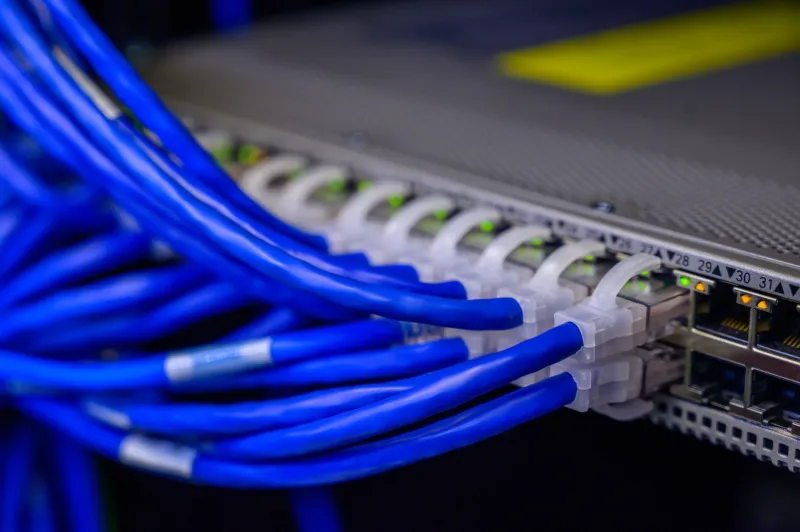
Few procurement decisions look as harmless as adding a handful of ceiling cameras or replacing ageing desk handsets. Each device arrives with its own power requirement folded into the network cable, and each one draws from a finite pool of watts held inside the switch that serves the floor. That pool is rarely examined until something stops working.
Power over Ethernet has matured from a convenience into the default method by which UK offices deliver power to cameras, handsets, access points, door controllers and, increasingly, screens and environmental sensors. The consequence is that the network edge has quietly become an electrical distribution system, and it deserves the same scrutiny as one.
Why "PoE-capable" tells you very little
A datasheet that lists PoE support may be describing a switch with a total budget of 120 watts, or one with 740. Both statements are accurate; neither tells you whether the next twelve devices will work. Buyers frequently compare port counts and overlook the aggregate figure, then discover mid-installation that port fifteen will not power up because the pool has already been allocated.
There is also a per-port ceiling to consider. Older 802.3af equipment supplies up to 15.4 watts at the switch, of which roughly 12.95 watts reaches the device. 802.3at, usually called PoE+, lifts that to 30 watts at the port with about 25.5 watts delivered. 802.3bt, or PoE++, moves into 60 and 90 watt territory. A pan-tilt-zoom camera with a heater for cold mornings, or a Wi-Fi 6E access point running at full tilt, may sit comfortably in the higher bands — and will refuse to operate, or reboot intermittently, if offered less.
The four figures worth recording
Before ordering anything, an operations team should be able to state four numbers for every PoE switch on site:
- The total power budget in watts, taken from the manual rather than the marketing page.
- The maximum wattage available to a single port.
- The current allocation — both the sum of what is plugged in today and, separately, the sum of what those devices are rated to draw at peak.
- The headroom remaining, expressed as a percentage rather than a vague sense of comfort.
The distinction in the third point matters. A device drawing 6 watts at rest may draw 25 under load, and it is the peak figure that determines whether the budget holds on a busy Monday morning. Vendors publish these figures; where they do not, an inline power meter between switch and device will settle the question in minutes.
Distance, cable and the loss between
Power is not delivered over Ethernet without cost. Energy is lost as heat in the cable, and that loss rises with length and with the resistance of the conductor. A run of 80 metres on good Cat 6 will behave very differently from a 95-metre run on older Cat 5e that has been through two office refits.
The standard allows 100 metres, but that is a limit for data integrity and for the voltage drop the standard anticipates — it is not a promise that a high-draw device will receive its full allocation at the far end. Where a camera sits at the end of a long corridor run, it is worth checking the device's own consumption at the point of delivery rather than assuming the switch port's rating travels intact. With newer 802.3bt equipment, cable quality becomes a harder constraint still; four-pair power delivery over marginal cabling is a reliable route to unexplained reboots.
Heat, and the bill nobody itemises
Every watt delivered over a cable is eventually dissipated as heat in the room where the device sits. A switch delivering 400 watts is, in effect, a 400-watt heater distributed across the ceiling. In a comms cupboard already warmed by a UPS and a stack of switches, added load can push temperatures past the point where equipment derates or fails early.
This is worth raising with whoever owns the building services. Small cupboards without mechanical cooling are common in UK offices, particularly where a comms room has been carved out of a store cupboard during a fit-out. The remedy is not always air conditioning; sometimes it is spreading PoE load across two switches in different locations, or selecting devices with a lower draw.
The UPS behind the switch
Continuity planning frequently stops at the switch. If access points, door controllers and cameras are all powered by PoE, then the runtime that matters is the runtime of the switch and its PoE budget together, not the switch alone. A UPS sized for a 150-watt load will behave very differently when that load becomes 400 watts, and the calculation is straightforward once the actual figures are known.
It is also worth confirming which ports carry genuinely critical devices — door access, the handset at reception, the access point serving the meeting rooms — so that any future power-saving or load-shedding arrangement protects those first.
Warning signs worth taking seriously
- Cameras or access points that reboot when the office fills up.
- Devices that work on one port and not another.
- Switches running hot to the touch, or cupboard temperatures above 30°C.
- PoE budget alarms in the management interface that nobody has ever read.
- New devices that receive power but are never detected.
- A purchasing history of "just add another switch" with no budget reconciliation.
A short audit checklist
- Record each PoE switch's total budget and per-port maximum.
- List every PoE device with its peak draw, not its idle draw.
- Add 15–20% headroom for future additions.
- Check cable length and category on the longest runs.
- Measure cupboard temperature at the height of summer.
- Confirm UPS runtime at the revised load.
- Label ports so critical devices are identifiable at a glance.
- Set and actually read budget alerts in the management tool.
Treating it as infrastructure
The purpose of the exercise is not to create paperwork. It is to ensure that the decision to add twelve cameras is made against a known quantity rather than a hopeful one. PoE capacity belongs in the same conversation as floor boxes, containment and cabinet space — part of the building's infrastructure, planned once and reviewed when it changes.
An organisation that knows its budgets, its per-port ceilings, its cable routes and its UPS sizing can add devices with confidence. One that does not will keep discovering the limits at the worst possible moment.