Comfortable Assumptions, Uncomfortable Findings: Cyber Essentials Plus Readiness for UK SMEs

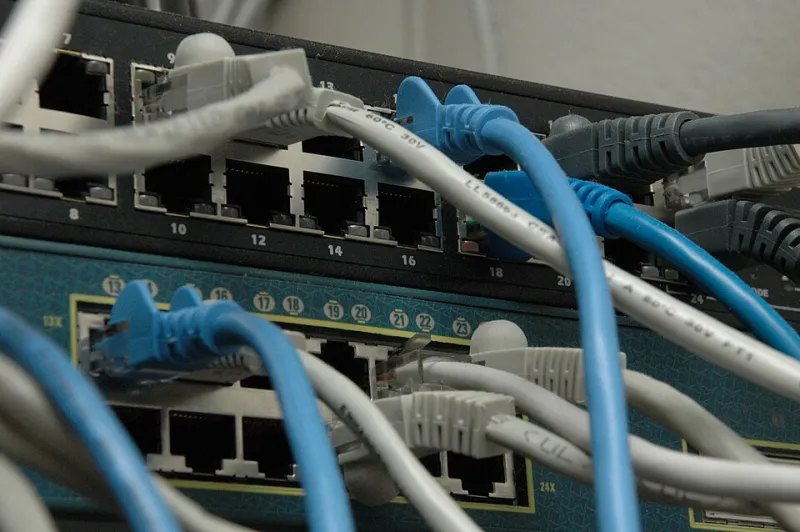
Photo: Francisclarke, CC BY-SA 4.0, via Wikimedia Commons
Cyber Essentials Plus is often approached as a technical hurdle to clear before a certificate can be framed. That framing is understandable, but it can lead UK small and medium-sized organisations into a false sense of readiness. The assessment is not a memory test on security theory. It is a structured check that the controls described in policy are present, evidenced and operating in the estate the organisation actually uses.
For an SME or charity, the most useful preparation is not another tool purchase. It is a candid review of five comfortable assumptions. Each one tends to survive until an assessor asks for the supporting record.
Assumption one: our scope is obvious
Scope is where many assessments begin to wobble. The organisation may think in terms of an office, a server room or a Microsoft 365 tenant. The assessor thinks in terms of devices, services, users and administrative access. Those pictures do not always match.
A sensible starting point is a written scope statement backed by an asset register. It should account for remote workers, cloud services, virtual servers, mobile devices and any personal equipment used for administrative tasks. Charities should consider volunteers and trustees who handle organisational data, even if they are not conventional employees. If a device or service sits outside the stated scope but can reach something inside it, the boundary deserves a second look.
The practical test is simple: can the organisation name every device and service it expects the assessor to sample, and explain why anything adjacent is excluded? If that answer relies on memory, the scope is not yet ready.
Assumption two: screenshots will satisfy the evidence requirement
Evidence is not decoration. It is the proof that a control exists and has been operating. A policy document saying that multi-factor authentication is enforced is useful, but it is not the same as a configuration export showing enforcement, exclusions and the date the check was made.
Assessors are not looking for a perfect paper fortress. They are looking for evidence that is current, relevant and reproducible. A screenshot taken months ago, with no date or system name, is weak evidence. A ticket trail showing that a patch exception was approved, risk-assessed and reviewed is much stronger.
Common gaps include policy statements that have drifted from practice, evidence stored in an individual's mailbox, and configuration screenshots that do not identify the tenant or device concerned. The fix is usually administrative rather than expensive: create a single evidence folder, date every item, and make sure a second person can follow the trail without asking the original author.
Assumption three: patching is a monthly routine
Patching is rarely as complete as the monthly report suggests. Cyber Essentials expects security updates to be applied in a timely manner, with high and critical vulnerabilities commonly expected to be addressed within 14 days. The assessor may sample devices and ask for patch status, not just a policy commitment.
The assumption to test is coverage. Does the patching regime include firmware, mobile operating systems, network equipment, hypervisors and unsupported software that is still running because a line-of-business application depends on it? Are exceptions documented with an owner, a date and a risk acceptance? A patch report that shows only Windows laptops tells a partial story.
Where unsupported systems remain, the organisation should be able to explain the compensating controls and the plan to remove or isolate them. Silence is the weakest answer.
Assumption four: MFA is switched on where it matters
Multi-factor authentication is now a familiar control, but familiarity can breed complacency. The organisation may have enabled MFA for Microsoft 365 and assumed the job is done. The assessor may look at administrative access, remote access, third-party SaaS and the exclusions that keep certain accounts working.
Legacy authentication protocols, service accounts and break-glass accounts are frequent sources of evidence gaps. So are conditional access exclusions added during an incident and never reviewed. The organisation should be able to show where MFA is enforced, where it is not, and why any exception exists.
This is not about removing every exception. It is about knowing them and being able to defend them.
Assumption five: this is an IT project
Cyber Essentials Plus touches leadership, HR, finance and operations. Leavers' accounts, asset ownership, procurement and staff awareness all affect the evidence. In a charity, trustee oversight may matter as much as the IT manager's checklist.
If preparation is left entirely to a small IT team, the assessment can become a bottleneck. A better approach is a short internal working group with clear ownership: one person for scope and asset records, one for technical evidence, one for policy and one for staff communication. The aim is not a committee. It is a small number of named people who can answer questions quickly.
A short pre-assessment checklist
- Confirm the scope in writing and match it to the asset register.
- List every device and cloud service in scope, including remote and volunteer-used endpoints.
- Export current patch status and document exceptions with dates and owners.
- Verify MFA enforcement for administrative and cloud access, including exclusions.
- Check that anti-malware controls are active and reporting.
- Review administrative privileges and remove unnecessary accounts.
- Confirm firewall and secure configuration settings are documented.
- Collect dated evidence in one shared folder.
- Brief staff on the areas an assessor may ask about.
- Run a short dry run with someone who did not prepare the evidence.
Evidence gaps to fix first
The most common gaps are rarely exotic. They include a stale asset register, undated screenshots, patch exceptions with no owner, MFA exclusions that nobody remembers, unsupported software kept alive by a single application, shared administrative accounts and a policy that describes an ideal state rather than the current one.
These are worth fixing before assessment day because they are visible and explainable. The goal is not to create a paper fortress. It is to make the organisation's real controls legible to an assessor, without panic or unnecessary spend.