The Unpatched Peripheral: Bringing the Office Print Estate Into Security Scope
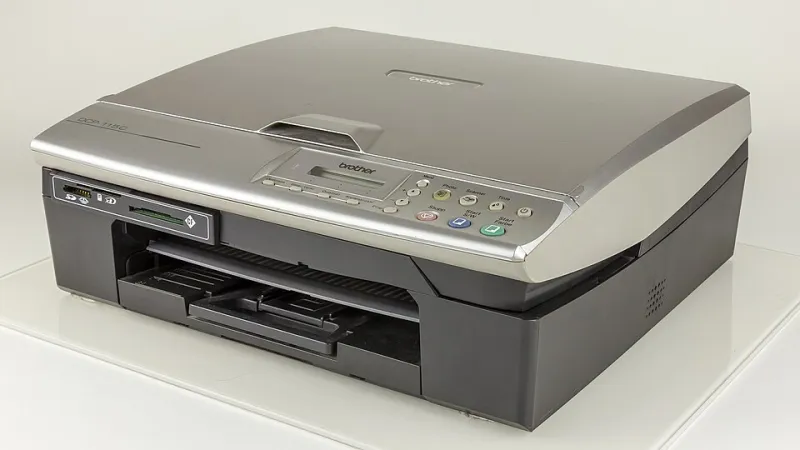
Photo: Raimond Spekking, CC BY-SA 4.0, via Wikimedia Commons
Most UK organisations have a patching process for laptops and servers. Fewer have one for the printer in the corner of the finance office. That device may have been installed years ago, carries a fixed IP address, and has not been restarted since the last consumables delivery. It is also a networked computer with storage, an operating system, administrative interfaces and, quite often, saved credentials for scan-to-email. Treating it as furniture rather than an endpoint is a reasonable habit, but it is not a safe one.
Why the print estate escapes scrutiny
Printers are quiet in every sense. They do not generate the endpoint alerts that a laptop does, they rarely appear in software inventories, and they are often supported under a facilities or consumables contract rather than by the IT team. When a device fails, the response is usually a service call. When it works, nobody asks whether its firmware is current.
This creates a blind spot that is easy to explain but harder to justify. A multifunction device may hold a local address book, a scan-to-email configuration with a service account, a web administration page, and a queue of held print jobs. Some models support remote access features that were enabled by default and never reviewed. None of this makes every printer a critical risk. It does mean the print estate deserves a place in the asset register and a line in the security review.
Start with an honest inventory
The first task is not to secure anything. It is to find out what is actually connected. A useful print audit should record the device make and model, its location, its network address, who owns the contract, and whether it is managed by IT or by a supplier. Walk the floors if necessary. Spreadsheets inherited from previous projects are rarely complete.
Look for devices that have been forgotten: the label printer in the warehouse, the desktop printer attached to a single PC, the old multifunction device in a meeting room that still has a scan-to-email button. Each one is a potential exception to whatever policy exists. The inventory should also capture whether the device is directly accessible from the general office network or sits on a separate segment.
Firmware is the first control, not the only one
Printer firmware is often months or years behind. Manufacturers publish updates for security flaws, but the update process is rarely automatic and often requires a manual download, a maintenance window and a willingness to risk disrupting a device that everyone depends on. That is precisely why it gets deferred.
A pragmatic approach is to identify the devices that matter most and set a review rhythm. Check the manufacturer's current firmware release for each model, note the last update date, and decide whether the device can be updated in place or needs a supplier visit. Where a device is no longer supported by the manufacturer, record that as a risk rather than ignoring it. An unsupported printer with a network connection is a small but genuine exposure.
Default credentials and administrative access
Many printers are installed with a default administrator password and never changed. Sometimes the password is printed on a label, sometimes it is in the manual, and sometimes it is the same across every device of that model in the building. This is convenient for the installer and unhelpful for everyone else.
As part of the audit, confirm who can access the web interface, whether the default password has been changed, and whether administrative access is limited to named individuals. Where possible, integrate the device with central authentication rather than relying on a shared local account. If that is not supported, at least ensure the password is unique, recorded in the IT password manager, and changed when someone leaves.
Scan-to-email and the credentials behind it
Scan-to-email is one of the most useful features on a multifunction device and one of the least reviewed. It usually relies on a mailbox or service account with a username and password stored in the device configuration. That account may have broader permissions than necessary, may not have multi-factor authentication, and may still be active long after the person who set it up has moved on.
Review each scan-to-email configuration. Confirm which account is used, what it can access, and whether it is restricted to sending only. Where possible, use a dedicated service account with a narrow scope. Check the address book for stale entries and remove contacts that are no longer relevant. These are small housekeeping tasks, but they reduce the chance of a compromised device being used to send convincing internal email.
Held jobs, storage and disposal
Printers store data. A held print job may sit in memory or on a disk until it is released or overwritten. Some devices retain document images for troubleshooting or audit purposes. When a device is moved, returned or disposed of, that data needs to be cleared in line with the organisation's data protection obligations.
Include the print estate in the disposal process. Confirm whether the device has a storage disk, whether it can be wiped, and whether the supplier's returns process covers data destruction. For leased devices, ask the supplier what happens to the storage when the contract ends. A certificate of destruction is more useful than an assumption.
The consumables contract is part of the risk picture
Print costs are often managed through a consumables contract that bundles toner, servicing and sometimes the device itself. These contracts can obscure the true cost per page and discourage replacement of older, less secure models. They can also create a support boundary where the supplier manages the hardware and the organisation assumes the security.
Review the contract alongside the audit. Does it include firmware updates? Does it cover the device's end-of-support date? Is there a clear route for reporting a security issue? If the contract encourages keeping unsupported devices in service because replacement is expensive, that is a risk that should be recorded and discussed. Consolidating the print estate often reduces both cost and exposure.
A simple ranking method
Not every printer needs the same treatment. A simple ranking can help decide where to spend effort. Score each device against four factors: whether it stores documents, whether it has network administration enabled, whether it holds credentials, and whether it is still supported by the manufacturer. A device that scores highly on all four is a priority. A small desktop printer with no storage and no network access is a lower priority.
The ranking does not need to be sophisticated. Its purpose is to make the decision visible. Devices that rank highly should be secured first: firmware updated, credentials changed, scan-to-email reviewed. Devices that are unsupported and rarely used should be considered for retirement. Devices that duplicate capability should be considered for consolidation.
Making the print estate ordinary
The goal is not to turn printers into a major security programme. It is to make them ordinary endpoints, subject to the same asset management, patching review and disposal discipline as everything else. That means knowing what is connected, who owns it, what it can access and when it will be replaced. For most UK organisations, a focused audit will find a handful of issues that are easy to fix and a few decisions that need to be made. The printer nobody patched is not a crisis. It is a prompt to look more closely at the quiet devices that sit at the edge of the network.